
Features
Everything Trellis does, and what it doesn't.
Trellis is built for the two of you: the vendor stage first, then money, guests and the day itself. Here is each part, shown on the screens it ships with today.
Vendors, from inquiry to booked.
The vendor stage is where Trellis goes deepest. Each vendor keeps its threads, answers, quotes and payments together.
Vendor inbox
Every thread sorts into Our move or Waiting on them, with day counts. Quiet threads ask "Nudge?"
Approved lists
Import a venue's list from CSV, JSON, pasted text or its web page. Keep the source link and the date you checked.
Know what to ask
322 questions across 25 vendor types, plus contract checklists and red flags.
Capability checks
275 checks across the same 25 types. Each answer keeps its evidence, and unknowns get an "Ask them" link.
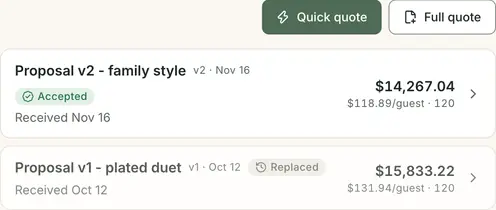
Quotes
Line items times guests, service charge on the lines it applies to, tax, and every version kept.
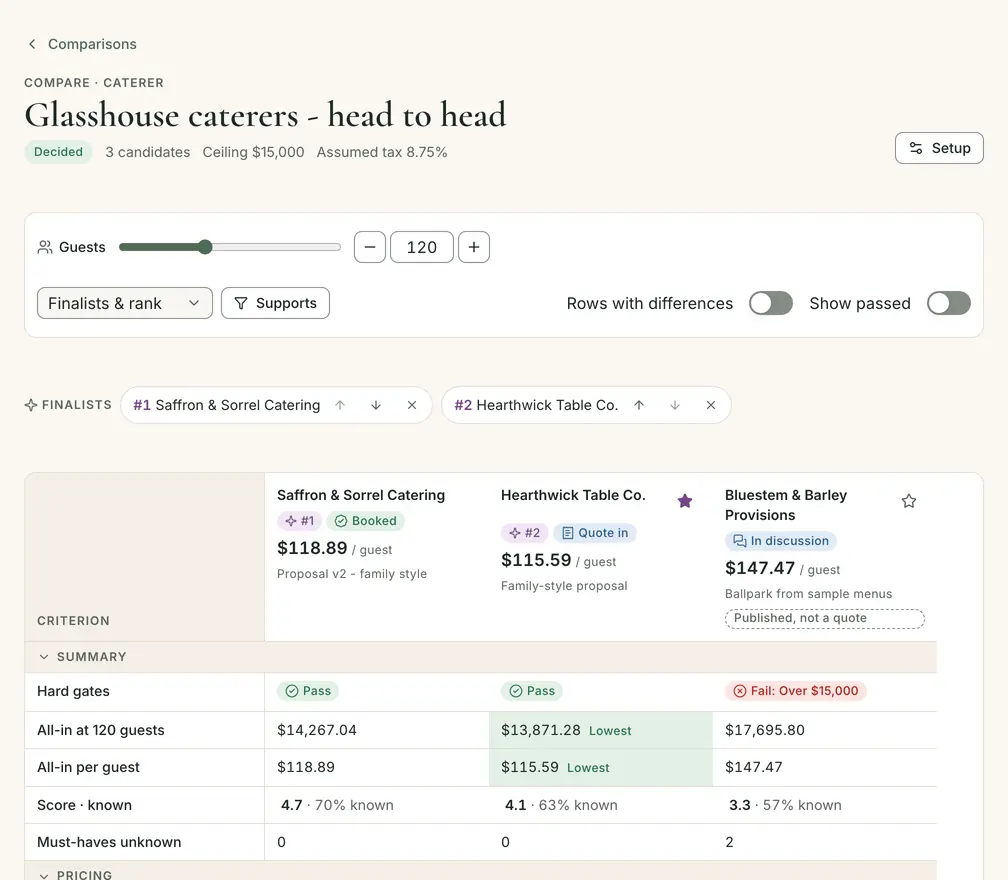
Compare
All-in and per-guest totals at any guest count. Your must-haves show Pass, Pending or Fail next to every price.
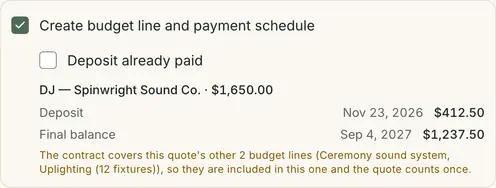
Book
Create the budget line and payment schedule from the quote in one step. Unbook reverses it.
Money, kept clear and kind.
Wedding money is family money. Trellis shows who pledged what, who paid and who's covering it, without anyone keeping score in a group chat.
Budget
Start from 18 category templates. See what's committed and what's paid against each line.
Payment schedules
10 schedule templates. Due dates show up in Needs attention and your calendar feed.
Contributors
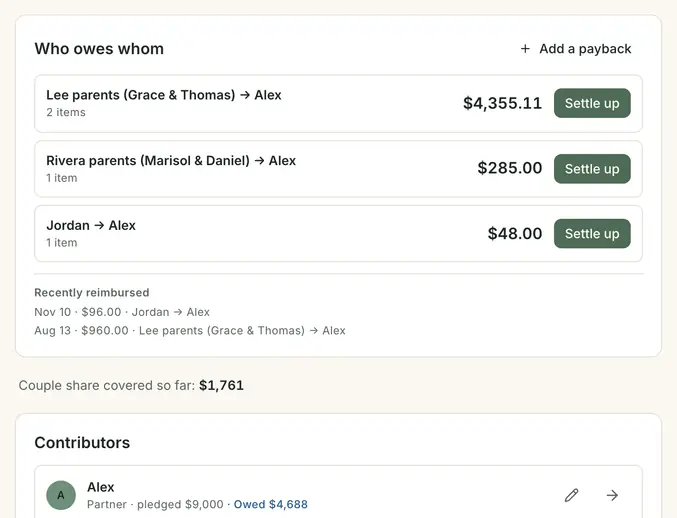
What each family member pledged, what's already covered, and what's set aside for which vendor. Each gets a printable statement.
Reimbursements
Pay for something a parent covers and the reimbursement is recorded. Settle up when it's squared.
All-in math
Service charge, sales tax and 9 US tipping guidelines, so totals are the totals.
Guests, events and seating.
One guest list feeds everything downstream, so the caterer, the seating board and your RSVP counts always agree.
Guest list
Households, plus-ones and meal choices. Paste names or import a CSV, with a preview before anything is saved.
Bring your list
Import from your wedding website's CSV export, replies and meal choices included. It's a one-time import, not a sync.
Events
12 event templates, with invitations, RSVPs and meals per event.
RSVP desk
Record replies on your phone as they come in.
Seating board
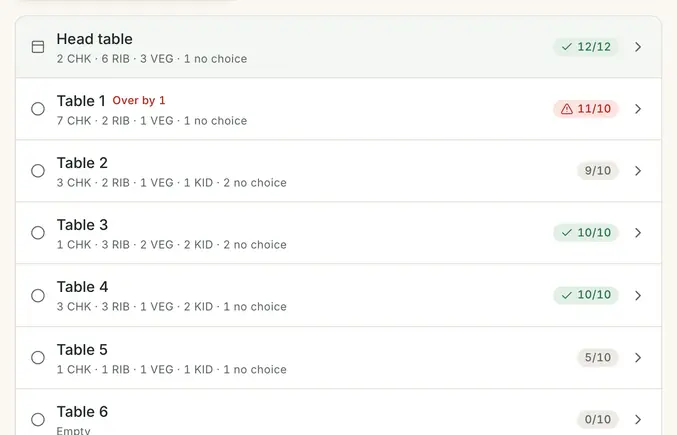
Drag guests to tables. See meal codes per table and capacity warnings like "Over by 1". Keep households together.
Printouts
Caterer report, escort list, and place and table cards.

A plan that moves with you.
Dates change, and two people share the work. Trellis shows who owns each task, and what will move before it moves anything.
Checklist
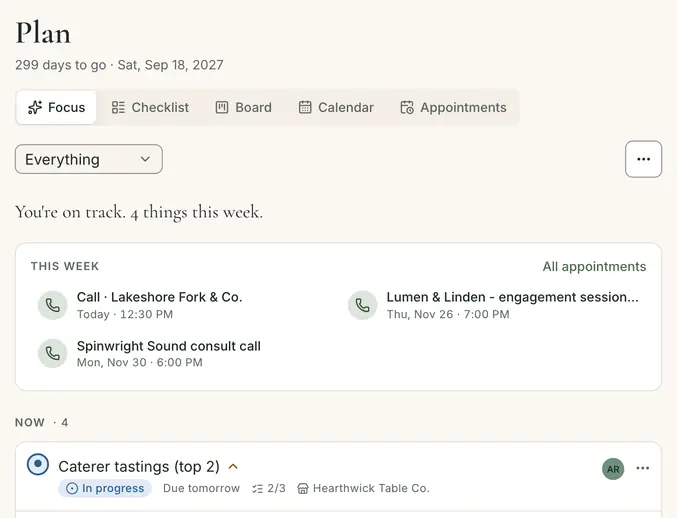
111 tasks in essentials or detailed tiers, each with a sensible due date.
Owners
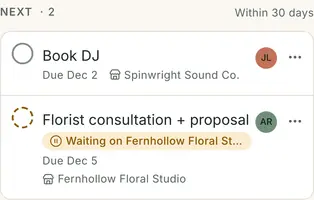
Every task has an owner. Filter to Mine, Partner's, Shared or Unassigned, so nothing falls between you.
Date changes
Move the wedding date and preview every task and payment that will re-date.
Needs attention
Everything due soon in one list, linked to the vendor or payment it's about.
Calendar feeds
Subscribe from your own calendar app. Amounts are hidden by default, and alarms are included.
History and undo
Every record keeps its history, and most changes can be undone.
The day itself, in your pocket.
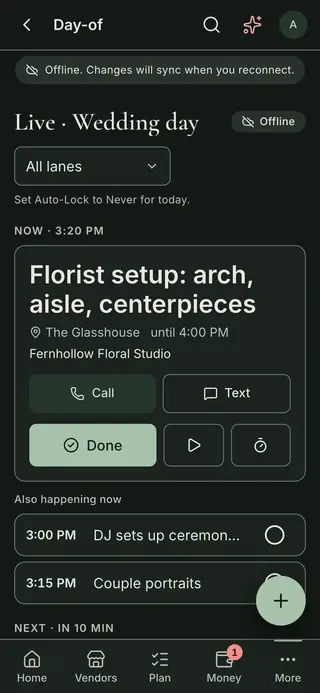
On the day, nobody should be hunting for a phone number. Trellis keeps the plan on every phone, signal or not.
Download for offline
The run-of-show, contacts and checklists, saved to each phone. Check-offs sync when you reconnect.
Live mode
Now and Next, with one-tap Call, Text and Done.
Templates
Run-of-shows for the wedding day, the rehearsal and a farewell brunch, plus 6 checklist templates.
Shots and music
A 58-shot photo list and a music cue sheet.
Printouts
Run-of-show, vendor sheet and contact list for the people who won't log in.
Ask Trellis, only if you want it.
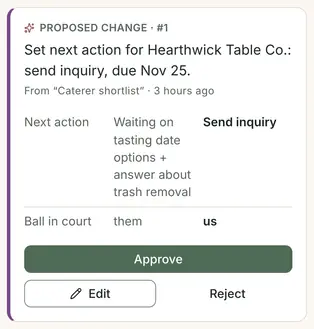
Trellis works fully without AI. If you'd like help, Ask Trellis uses your own Anthropic API key and asks before it changes anything.
Your key, your account
Off until you add your own API key. Anthropic bills you directly, and we never add a margin.
Drafts and summaries
Drafts vendor emails and summarizes long threads.
Reads documents
Pulls line items from quote PDFs and terms from contracts.
Research and import
Researches a vendor or imports a vendor list for you to review.
Approve, Edit or Reject
Every change is a proposal you can approve, edit or reject.
Monthly cap
Set a monthly cap and see every call in a cost log.
Your data, your way.
It's your wedding plan. You can take it with you whenever you like.
Export
Your whole plan as JSON and CSV, any time. Uploaded files download one by one from where they're attached.
Roles
Owner, editor or view-only, per person.
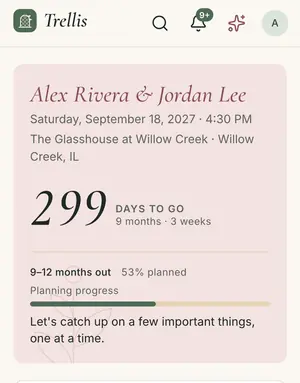
Three looks
Garden Sage, Midnight & Champagne or Terracotta, in light, dark or system mode.
On your phone
Install Trellis from your browser to your home screen. No app store needed.
Garden Sage 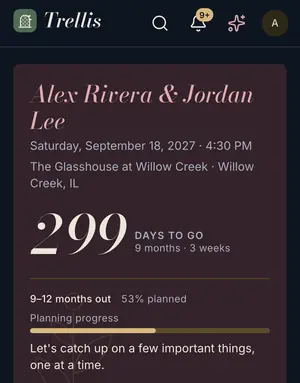
Midnight & Champagne 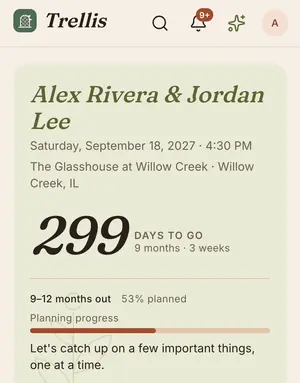
Terracotta
What Trellis doesn't do
Knowing the edges saves you time. Today, Trellis does not:
- Build a wedding website, or collect RSVPs and addresses online. Import your website's guest list, then record new replies yourself.
- Send emails, texts or invitations for you. Its buttons open your own apps.
- Recommend, rank or sell vendors.
- Come from an app store. It installs from your browser.
- Seat guests automatically, or let two people edit the same record live.
- Import Excel files directly. Save them as CSV first.
- Plan weddings outside the US. Money is in dollars, with US tipping guides.